mirror of
https://github.com/leejet/stable-diffusion.cpp.git
synced 2026-06-23 14:46:39 +00:00

1.4 KiB
1.4 KiB
How to Use
Boogu Image uses a Boogu diffusion transformer, the FLUX VAE, and Qwen3-VL as the LLM text and vision encoder.
Download weights
- Download Boogu Image
- Download vae
- Download Qwen3-VL 8B
- gguf: https://huggingface.co/unsloth/Qwen3-VL-8B-Instruct-GGUF/tree/main
- For image editing with GGUF text encoders, also download the matching mmproj file and pass it with
--llm_vision.
- For image editing with GGUF text encoders, also download the matching mmproj file and pass it with
- gguf: https://huggingface.co/unsloth/Qwen3-VL-8B-Instruct-GGUF/tree/main
Examples
Boogu Image Base
.\bin\Release\sd-cli.exe --diffusion-model ..\..\ComfyUI\models\diffusion_models\boogu_image_base_bf16.safetensors --llm ..\..\llm\Qwen3VL-8B-Instruct-Q4_K_M.gguf --vae ..\..\ComfyUI\models\vae\ae.sft -p "a lovely cat" --diffusion-fa -v --offload-to-cpu
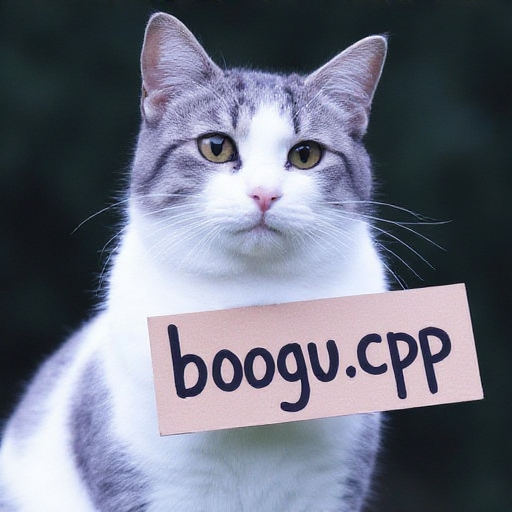
Boogu Image Edit
.\bin\Release\sd-cli.exe --diffusion-model ..\..\ComfyUI\models\diffusion_models\boogu_image_edit_bf16.safetensors --llm ..\..\llm\Qwen3VL-8B-Instruct-Q4_K_M.gguf --llm_vision ..\..\llm\mmproj-Qwen3VL-8B-Instruct-F16.gguf --vae ..\..\ComfyUI\models\vae\ae.sft --diffusion-fa -v --offload-to-cpu -r ..\assets\flux\flux1-dev-q8_0.png -p "change 'flux.cpp' to 'boogu.cpp'"